Most people shop for a router only when the old one gives up or when video calls start dropping in the bedroom. Knowing how to choose the right router starts with your home, your internet plan and the devices you use every day, not with the speed number printed on the box. Start with those three and the shortlist becomes much shorter.
Start with your home, not the box
Walls, not floor area, decide how far Wi-Fi really reaches. Concrete, brick and metal absorb signal, so a router that fills a flat of open rooms can struggle in a house with thick walls and a staircase. A single good router placed near the centre of a small or medium home is usually enough. A home with several floors, a long layout or heavy walls needs more than one unit, or a different type of system altogether.
Where you put the router matters almost as much as which one you buy. Keep it high, out in the open and as central as you can manage. A router hidden inside a cupboard, behind a television or next to a microwave oven will always disappoint, however good it is.
Which type of router suits your situation?
| Your situation | Best-fit type | What you gain |
|---|---|---|
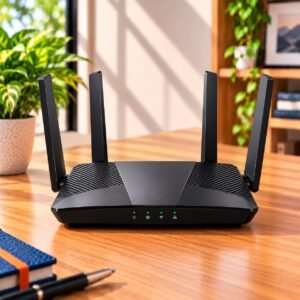
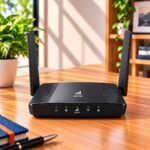
| Small or medium home with a fixed broadband line | Standard Wi-Fi router | Simple setup and the best value for money |
| Large or multi-floor home with weak corners | Mesh Wi-Fi system | Even coverage under one network name |
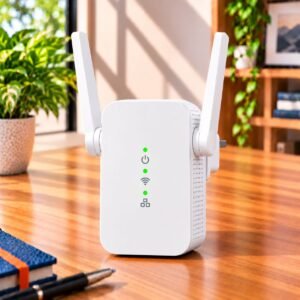
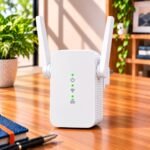
| One weak corner in an otherwise fine home | Range extender | A low-cost patch for a single spot |
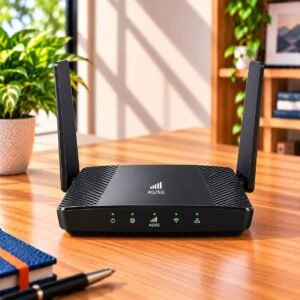
| No fixed line, or a backup for outages | 4G/5G router or pocket hotspot | Internet through a SIM card |
A standard router is the right answer for most buyers, so do not be talked into a bigger system than your home needs. Mesh earns its price only when one router cannot cover the whole home. A range extender is a quick fix for one stubborn corner, but it usually gives slower speeds in the area it extends. A SIM-based router suits rented rooms, remote locations and anyone who needs a second connection when the broadband goes down.
How fast does your router need to be?
Your internet plan sets the ceiling. A router cannot make a slow plan faster, but a weak router can hold a fast plan back. Labels such as AC1200 or AX1800 add together the speeds of every band, so no single device will ever see that number. Use them only to compare routers of the same generation, and treat a higher figure as extra headroom for more devices rather than extra speed for one.
The wired ports are where many buyers get caught. If your plan is in the gigabit range, the router’s Ethernet ports must also be gigabit ports, otherwise the cable becomes the bottleneck before the Wi-Fi even starts. Basic routers with slower ports are fine for modest plans, but check the port speed before you pay.
Does the Wi-Fi generation matter?
Generations are labelled Wi-Fi 4, Wi-Fi 5, Wi-Fi 6 and Wi-Fi 7, and newer ones handle many devices at once more smoothly and use airtime more efficiently. That helps most in homes where phones, laptops, televisions, cameras and smart speakers are all online together. The catch is that your own devices must support the same generation to benefit. A newer router still works with older devices, but it will not make them faster. An older generation is acceptable for a couple of devices and light use, while a household full of devices is better served by a newer one.
Single-band, dual-band or tri-band?
A single-band router uses only the 2.4 GHz band, which travels well through walls but is slower and crowded by neighbours’ networks and household gadgets. A dual-band router adds the 5 GHz band, which is much faster over a shorter distance. For almost every home, dual-band is the sensible minimum, because your phone or laptop can use the faster lane when you are close and the longer-range one when you move away. Tri-band adds a second fast lane, which matters mainly in mesh systems and busy homes.
Which features are worth paying for?
Spec sheets are long, but only a handful of features change daily life.
- Gigabit Ethernet ports for wired televisions, consoles and desktops, if your plan is fast enough to use them.
- Parental controls that let you set time limits and block websites for each child’s device.
- A guest network, so visitors never get your main password or access to your devices.
- A phone app for setup and monitoring, which is far easier than the old browser pages.
- A USB port, if you want to share a hard drive or printer across the home.
- VPN support, only if you work remotely and need a secure link to an office network.
Which features can you safely ignore?
A large number of antennas looks impressive but says little about real coverage. Gaming labels and flashing lights add cost without improving your connection unless the router also offers the ports and controls you will actually use. The maximum speed on the box is a laboratory figure, so do not pay extra for the biggest number. Spend instead on the right type of router for your home, and on the right ports.
Should you use your provider’s router?
Many broadband providers supply a basic router with the connection, and it works well enough in a small home. Buying your own gives you better coverage, better controls and the freedom to upgrade later without changing provider. Before you buy, check with your provider that your plan works with a router of your own, so the connection details can be set up without trouble.
Common Buying Mistakes
The most common mistake is paying for speed the internet plan cannot deliver. The second is buying a mesh system for a small flat, where one well-placed router would have done the job. Others include ignoring the port speed on a fast plan, hiding the router in a cupboard and buying on the antenna count. Buying the cheapest single-band model for a home full of devices is the one people regret most, because the problem shows up on the busiest evenings.
Buying Checklist
- Home size, number of floors and thick walls noted down
- Type chosen: standard router, mesh, extender or SIM-based
- Dual-band or better
- Ethernet port speed matches your plan
- Wi-Fi generation matched to your devices
- Parental controls and a guest network included
- Provider confirmed to work with your own router
Frequently Asked Questions
How many devices can one router handle?
Most home routers handle a few dozen devices without trouble, but the number that matters is how many are busy at once. Streaming, video calls and downloads use far more than idle smart speakers or sensors. If many devices are active together, look for a newer Wi-Fi generation and a dual-band or tri-band router.
Do I need a new router if my internet is slow?
Not always. Check first whether the slowness is in the plan or in the Wi-Fi. If a device connected by cable is also slow, the plan or the provider is the cause. If only the Wi-Fi is slow, moving the router or choosing a better one can help.
Is a more expensive router always better?
No. A higher price often adds features, ports or coverage you may never use. Match the router to your home and your plan, and a mid-range model is enough for most families.
Can I use two routers together?
Yes, but a mesh system or an extender made to work with your router is simpler and gives you a single network name. Two unrelated routers often create two networks that you must switch between by hand.
How often should I replace my router?
There is no fixed date. Replace it when its coverage or speed no longer suits your home, when it cannot keep up with your devices, or when it no longer receives updates from the maker.
ConsumerArena Recommendation
For most homes, a dual-band standard router of a recent generation, with gigabit Ethernet ports and a simple phone app, covers everything you need. Choose a mesh system only when one router leaves rooms without a usable signal.
At the entry level, a basic dual-band router is enough for a small home with a few devices and a modest plan. In the mid-range, you get more reliable coverage, better controls and room for a fast plan. At the premium end, you are paying for the latest Wi-Fi generation, extra bands and extra ports, which only makes sense if your devices and plan can use them. Pick the type first, the port speed second and the price last.