Slow Wi-Fi in one room usually means a weak signal, not a slow internet plan. The usual fix is either a better single router or a mesh Wi-Fi system, and the right answer depends on your home, not on which one sounds more advanced. A mesh system costs more and is only worth it when one router cannot cover your space.
Why does Wi-Fi fade in some rooms?
Wi-Fi signal weakens with distance and with every wall it passes through. The faster 5 GHz band weakens quicker than the slower 2.4 GHz band, which is why a room that gets a full-speed signal near the router can feel sluggish two walls away. Buying a more powerful router helps up to a point, but one device in one spot can only reach so far. That limit is exactly what mesh was designed to solve.
What does a mesh system do differently?
A mesh system is a set of units that work together as one network. You place the main unit next to your modem and the others in different parts of the home. Your phone or laptop sees a single network name and moves between units on its own as you walk around, so a video call does not drop when you go from the living room to the bedroom. Instead of one point trying to reach every corner, you get several points, each covering its own area.
The trade-off is cost and complexity. You pay for several units, and you have more devices to place, power and manage.
When is a single router enough?
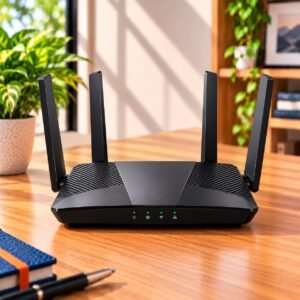
A single router is the better buy for a small or medium home on one floor, or for a layout where the router can sit near the middle. It costs less, has simpler settings and usually offers more wired ports for a television, console or desktop. Before you decide that one router is not enough, try moving it to a central, open and raised spot. Many Wi-Fi problems disappear with placement alone, and that costs nothing.
When is a mesh system worth paying for?
Mesh is worth the extra money when the signal still fails in the same places after you move the router. That usually means a multi-storey house, a long or L-shaped layout, thick walls, or a home where the router has to sit at one end because that is where the line comes in. It also suits families who use several rooms at once, with a video call in one, streaming in another and gaming in a third, because the load is spread across units instead of squeezed through one.
Mesh or range extender?
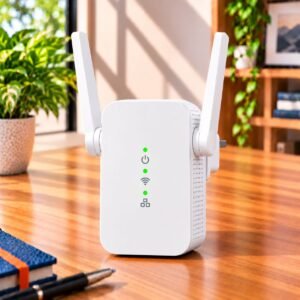
A range extender repeats the signal from your router, and it is a low-cost fix for one weak corner. It usually gives slower speeds in the extended area and can create a second network name that you must switch to by hand. If you have one problem spot, an extender is reasonable. If you have two or more, a mesh system gives a smoother experience for the money you would otherwise spend on extra patches.
Single router or mesh: a quick comparison
| Your home | Single router | Mesh system |
|---|---|---|
| Small or medium, one floor | Usually enough | More than you need |
| Several floors or a long layout | Weak spots are likely | Covers the home evenly |
| Thick walls between rooms | Signal drops quickly | Units placed past the walls help |
| Moving around the home on calls | Network may drop in far rooms | Hands over between units |
| Cost and settings | Lower and simpler | Higher, with more to manage |
What should you look for if you choose mesh?
Not all mesh systems are equal, and a few details decide how well one works. The most important is how the units talk to each other. If they link wirelessly, they share the same airtime as your devices, which can slow things down. A system that can also link units with an Ethernet cable, or that has a dedicated band for the units to talk to each other, keeps speeds more consistent. If you can run a cable between floors, use it.
- A number of units in the pack that matches the size and floors of your home
- An option to link units by Ethernet cable
- A dedicated band for the units to talk to each other, which helps most in busy homes
- Ethernet ports on the extra units, if you want to wire a television or console there
- Parental controls, a guest network and a simple phone app for setup
- Support for a common mesh standard, if you may expand later
Match the Wi-Fi generation to your devices and the port speed to your internet plan, exactly as you would for a single router.
Where should you place the units?
Place the first extra unit about one or two rooms away from the main one, not at the far end where the signal is already weak. A unit that receives a poor signal can only pass on a poor signal. Keep every unit in the open, off the floor and away from metal objects and microwave ovens. Aim for overlap between units, so there is no gap where your device has to hold on to a fading connection.
Common Buying Mistakes
The biggest mistake is buying a mesh system for a small flat, where a well-placed single router would have worked as well for far less. The second is putting an extra unit in the dead zone it was meant to fix. Others include ignoring the port speed on a fast plan, buying more units than the home needs and treating a range extender as a substitute for mesh in a large house.
Buying Checklist
- Tried moving the single router to a central spot first
- Noted the floors and walls where the signal fails
- Decided between one weak spot (extender) and several (mesh)
- Confirmed the number of units suits your home
- Checked for an Ethernet link option between units
- Matched port speed to your internet plan
Frequently Asked Questions
Does a mesh system make my internet faster?
No. Your speed is set by your internet plan. A mesh system gives you a stronger and steadier signal in more rooms, so you get closer to what you already pay for.
How many mesh units do I need?
Think of one unit for each floor or each area where the signal fails, and start with the smallest pack that covers them. Add units to remove dead zones, not just to have more of them.
Can I add mesh units to my existing router?
Some routers can be expanded with extra units that support the same mesh standard. Check the box or the spec sheet for mesh support before you buy, and keep to units that list the same standard.
Is mesh better than a range extender?
For a whole home, usually yes, because the units work as one network and hand your devices over smoothly. For one weak corner, an extender is cheaper and often enough.
Do mesh systems need a cable?
No. Most work wirelessly out of the box. A cable between units is optional, but it often gives steadier speeds if you can run one.
ConsumerArena Recommendation
Start with a single router placed well. If the signal still fails in more than one room, a mesh system is a better investment than a collection of extenders.
At the entry level, a two-unit pack suits a home with two or three problem rooms. In the mid-range, you get more consistent speeds and a better app. At the premium end, extra bands and Ethernet links make sense for large or multi-storey homes. Choose the number of units by the problem areas in your home, not by the biggest pack on the shelf.