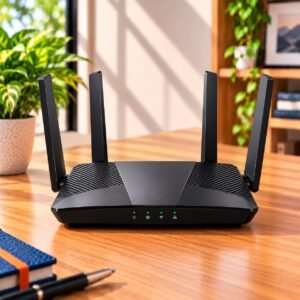
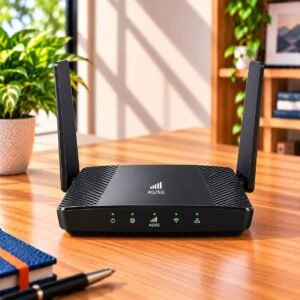
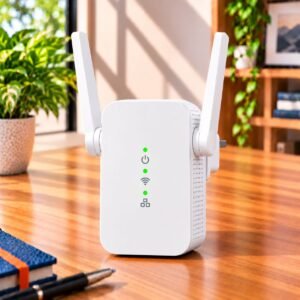
You have picked a broadband plan and shortlisted a router, and then you notice that its ports are labelled 10/100. Is that a problem? A gigabit router is not needed in every home, but when you do need it, nothing else on the spec sheet makes up for it.
Why do router ports matter if I mostly use Wi-Fi?
Most of your phones and laptops talk to the router wirelessly, so it is easy to ignore the sockets at the back. But every router has one port that brings the internet in and several that send it out to wired devices. The speed of those sockets sets a ceiling on everything that passes through them.
A router can have excellent Wi-Fi and still hold back a wired connection. If the incoming port is slow, your whole home is limited by it, even for devices on Wi-Fi. That is why the port speed deserves a look before you pay for a router, not after.
What is the difference between Fast Ethernet and Gigabit ports?
Fast Ethernet ports, shown as 10/100, carry up to 100 Mbps. In real use you see a little less than that. Gigabit ports carry up to 1,000 Mbps, ten times as much. You will see them written as 10/100/1000 or Gigabit Ethernet.
Higher-end routers sometimes add a faster multi-gigabit port. That only helps if your broadband line and your wired devices can also use it, so treat it as a bonus for specific setups and not as a general need.
The ports on a router are not always the same speed. Some models have one fast incoming port and slower sockets for devices, or the other way round. Check both.
When is a gigabit router worth paying for?
Choose gigabit ports when any of these describe your home:
Your plan is faster than 100 Mbps
If your connection is rated above 100 Mbps, a Fast Ethernet incoming port will cut it down to roughly 100 Mbps. You would be paying your provider for speed that the router never lets through. This is the most common reason to choose gigabit.
You connect devices with a cable
A desktop PC, a gaming console, a smart TV or a work laptop on a docking station is steadier on a cable than on Wi-Fi. Delay is lower and the speed does not dip when the neighbours are busy. If these devices sit near the router, gigabit sockets let them use your full plan.
You move big files inside your home
Copying photos and videos to a storage drive on your network, backing up a laptop, or streaming a large video library from a home server never touches the internet. It only touches your router. Gigabit sockets make these jobs several times quicker than Fast Ethernet.
You want the router to last
Plans tend to get faster over time, not slower. A gigabit router bought today is much less likely to become the weak link when you upgrade your plan in a couple of years.
When are Fast Ethernet ports enough?
Fast Ethernet is fine if your plan is at or below 100 Mbps and you do not expect to upgrade soon. It is also fine if nearly everything in your home uses Wi-Fi and you have one or two wired devices doing light work, such as a printer or a set-top box.
In that case, a router with good Wi-Fi coverage and Fast Ethernet ports can be the smarter purchase. You put your money into signal quality instead of sockets you will not use. Just be honest about the next two or three years before you decide.
| Your situation | Fast Ethernet (10/100) | Gigabit (10/100/1000) |
|---|---|---|
| Plan at or below 100 Mbps | Enough | Not needed yet |
| Plan above 100 Mbps | Holds you back | Right choice |
| Mostly Wi-Fi, few wired devices | Enough | Useful for later |
| Gaming console or PC on a cable | Works, but limited | Better |
| Large file transfers at home | Slow | Much faster |
Check the incoming port, not just the sockets for devices
Many buyers count the sockets and stop there. Four gigabit sockets for your devices do not help if the incoming port is only Fast Ethernet. The internet still enters at 100 Mbps.
Look for the port usually labelled WAN or Internet, and confirm that its speed is listed separately. On a good product page this appears next to the port count. If it is missing, assume nothing and look at the box or the manual before you buy.
Do your cables and devices support gigabit?
Gigabit works only when every link in the chain is gigabit. The router, the cable and the device at the other end all have to agree. If one of them is slower, the connection falls to that speed.
Most cables sold today are fine. Cat5e and Cat6 cables both carry gigabit. Very old, thin cables may not. If you are setting up new wiring in a flat or a house, choose Cat6 so that you are not rewiring later.
Also check the device. Some older televisions, set-top boxes and media players have Fast Ethernet sockets of their own, and these will never go faster, whatever router you attach them to.
Common Buying Mistakes
The first mistake is buying on the Wi-Fi speed number alone. A figure such as AX1800 or N300 on the box is a combined theoretical figure across the wireless bands. It says nothing about the sockets.
The second is assuming that a newer Wi-Fi generation means gigabit ports. A few budget routers have modern Wi-Fi but still use Fast Ethernet sockets, so the port speed has to be checked separately.
The third is paying for more ports than you will use. A router with many sockets looks generous, but most homes use two or three. Speed per port matters more than the count.
The fourth is forgetting the provider's own equipment. Some connections come with a box that already has gigabit sockets. Your own router then needs gigabit sockets as well, or the benefit is lost.
Buying Checklist
- Note your plan's speed, and whether you expect to upgrade soon.
- Count the devices you will connect with a cable.
- Confirm the speed of the incoming port and of the device sockets, separately.
- Check that your cables are Cat5e or better.
- Check that the wired devices themselves support gigabit.
Frequently Asked Questions
Do I need a gigabit router for a 100 Mbps plan?
Not strictly. A Fast Ethernet incoming port can carry a 100 Mbps plan, though real speeds sit a little below the rating. If you may upgrade soon, or you move large files between wired devices, gigabit is the safer choice.
Will gigabit ports make my Wi-Fi faster?
No. Ports affect only wired connections and the speed at which the internet enters the router. Wi-Fi speed depends on the wireless hardware, the Wi-Fi generation and the distance from the router.
How can I tell if a router has gigabit ports?
Look for the labels 10/100/1000, Gigabit or 1000 Mbps on the product page or the box. A label reading 10/100 means Fast Ethernet. Check the incoming port and the device sockets separately.
Is a Cat5e cable enough for gigabit speeds?
Yes. Cat5e and Cat6 cables both carry gigabit. Very old or damaged cables can slow the link, so replace any cable that is giving you trouble.
Does the number of ports matter more than their speed?
For most homes, no. Two or three working sockets are usually enough. A router with fewer gigabit sockets is a better buy than one with many slower sockets if your plan is fast.
ConsumerArena Recommendation
If your plan is above 100 Mbps, or you expect it to be within a couple of years, choose a router with a gigabit incoming port and gigabit sockets. It is the safest way to make sure the router never slows you down.
If your plan is modest, most of your devices use Wi-Fi and you are on a tight budget, a router with Fast Ethernet ports is a sensible choice, provided its Wi-Fi coverage suits your home. Put your money into signal quality first and sockets second.
Whichever way you go, read the port speeds on the product page before you buy, and compare the incoming port separately from the sockets for devices. Then compare routers whose port speeds match your plan, and decide on Wi-Fi coverage and features from there.